
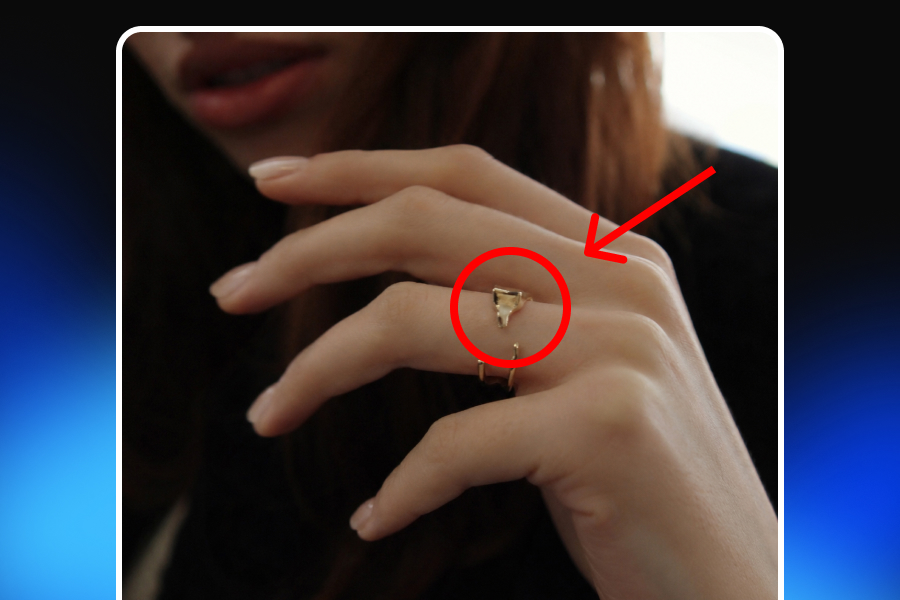
A product image can look polished, expensive, and completely professional—and still be wrong.
Perhaps the color is warmer than the real product. A chair appears larger because it was placed in an unusually small room. A skincare visual implies a result the product cannot reliably deliver. An AI-generated lifestyle image quietly changes the number of buttons on a jacket. A decorative prop looks as though it is included in the box.
None of these problems necessarily begin with an intention to deceive. Many misleading product images are created through ordinary production mistakes: aggressive retouching, incorrect product files, inconsistent variants, rushed approvals, generative AI errors, or a creative team working without a reliable reference.
The customer, however, only sees the final image.
That image becomes a promise about what will arrive. It communicates the product’s shape, color, dimensions, finish, quantity, fit, packaging, included accessories, and sometimes even its performance. When the promise made by the visual does not match the real SKU, the brand creates an expectation gap.
This e-commerce brand safety checklist is designed to catch that gap before the image is published. It applies not only to AI-generated product images, but also to studio photography, 3D renders, retouched photos, marketplace listings, social ads, and lifestyle content.
What Makes a Product Image Misleading?
A misleading product image is any visual that could cause a reasonable customer to form an inaccurate impression of the item being sold.
The difference does not need to be dramatic. A visual does not have to show an entirely different product to become misleading. Small changes can affect a purchase decision:
A necklace appears longer than it really is.
A sofa looks suitable for three people when it is designed for two.
A bundle image displays several units although the listing includes one.
A garment looks structured even though the real fabric is soft and lightweight.
A cosmetic product is shown beside an unrealistic before-and-after result.
A generated package includes labels or certifications that do not exist.
A lifestyle scene suggests that the product is waterproof, heat-resistant, or outdoor-safe without evidence.
The important question is not simply, “Does this image look realistic?”
The better question is:
Would a customer understand the product correctly after seeing it?
An image may be photorealistic while still communicating false information. Product image accuracy therefore requires more than visual quality. It requires fidelity to the real product, its real configuration, and the specific offer attached to the listing.
Why Visual Accuracy Is a Brand Safety Issue
Brand safety in e-commerce is often discussed as a media placement problem: where an advertisement appears and what content surrounds it. Product image brand safety is different. It concerns what the brand itself communicates through its visuals.
Every product image affects at least four areas.
Customer Expectations
Customers cannot touch, measure, wear, or inspect an online product before purchasing it. They rely on photographs, videos, product descriptions, reviews, and dimensions to reduce uncertainty.
When the visual presents a different color, scale, fit, quantity, or finish, the customer makes a decision using incorrect information. Even when the listing description contains the accurate detail, the image may leave the stronger impression.
Trust and Reputation
A gap between the product page and the delivered item can lead customers to question more than one listing. They may begin to distrust the brand’s photography, product descriptions, reviews, or advertising as a whole.
Accurate product representation is therefore not only a compliance task. It is a trust-building practice.
Returns and Dissatisfaction
Not every return is caused by a defective product. Some happen because the product is different from what the customer expected.
Accurate visuals cannot eliminate every return, but they can reduce avoidable expectation gaps. Showing honest proportions, realistic materials, correct variants, clear package contents, and multiple viewing angles helps customers make better-informed decisions.
Advertising and Marketplace Risk
In the United States, the Federal Trade Commission states that advertising claims must be truthful, non-deceptive, and supported by evidence. That principle covers both direct statements and claims communicated by implication. A visual can therefore create a claim even when no text appears beside it.
Major marketplaces also place responsibility on sellers to represent products accurately. The exact technical rules differ, but the shared principle is straightforward: the image should match the product and offer being sold.
The E-commerce Product Image Safety Checklist
The most reliable time to identify an inaccurate visual is before it reaches the product page, advertisement, email campaign, or marketplace feed.
Use the following product image compliance checklist as a repeatable pre-publish review rather than a one-time exercise.
1. Confirm the Correct SKU and Variant
Start with the most basic question: Is the image showing the exact product attached to the listing?
This sounds obvious, yet variant mismatches are common when teams manage many similar items. The wrong file may show:
A different color.
Another size or capacity.
An older packaging design.
A previous product generation.
A regional package.
A different material.
A related model with slightly different hardware.
A bundle instead of an individual unit.
Do not approve an image based only on the product name. Compare it with a reliable SKU-level reference.
A useful reference package should include the SKU or variant ID, approved source photographs, current packaging, official dimensions, material information, included accessories, logo placement, and any details that differ across variants.
Google Merchant Center specifically instructs merchants to connect the image with the correct product variant and recommends unique images for variants so the correct color or configuration is shown. It also expects the matching variant to appear on the landing page.
Approval question: If every product name were hidden, could the reviewer still confirm that the image belongs to this exact SKU?
2. Check Shape, Structure, and Proportions
The product’s overall silhouette may remain recognizable while important structural details change.
This is especially common with AI-generated product images. A model may preserve the general identity of a handbag, chair, shoe, or jacket while altering the construction:
A collar becomes wider.
A sleeve becomes shorter.
A table leg changes shape.
A handbag gains an extra pocket.
A shoe sole becomes thicker.
A jewelry setting contains a different number of stones.
A device gains a port or button.
A sofa cushion becomes deeper.
Hardware changes from rounded to square.
These differences can be easy to miss because the resulting image still looks coherent. The AI is not necessarily producing a visible “glitch.” It may be producing a believable but nonexistent version of the product.
Review the generated or edited visual beside a verified reference image. Check the outline first, then move through the product section by section.
For complex products, create a list of identity-critical details that must never change. A jacket review might include the collar, closure, seam lines, cuffs, pockets, hem, logo, and sleeve length. A piece of furniture might require checks for leg geometry, cushion count, armrest thickness, stitching, and frame proportions.
Approval question: Has the creative process improved the presentation, or has it redesigned the product?
3. Verify Color, Material, and Texture
Color accuracy is difficult because the final appearance can change across cameras, lighting conditions, editing software, display settings, export formats, and customer screens.
That does not remove the brand’s responsibility to avoid unnecessary distortion.
Watch for:
Excessive saturation.
Heavy contrast that changes the perceived shade.
Warm or cool color grading applied directly to the product.
Highlights that make a matte finish appear glossy.
Smoothing that makes textured material appear flat.
AI-generated grain, weave, wood pattern, or stone veining.
Metallic surfaces represented as plastic.
Fabric thickness that looks different from the real item.
Shadows that hide important material details.
The goal is not to make every pixel identical under every possible display condition. The goal is to create a fair representation of the real product under reasonable viewing conditions.
For color-sensitive categories, keep one approved color reference and review final files on a calibrated display when possible. Avoid applying global filters without checking how they affect the product itself. If natural materials vary from unit to unit, explain that variation rather than presenting one sample as perfectly uniform.
Amazon’s product image guidance requires images to accurately represent the product’s real color, scale, and quantity. Its clothing guidance also states that the color in the image must match the item being sold.
Approval question: Would a customer describe the delivered product using roughly the same color, finish, and material language suggested by the image?
4. Confirm Scale and Dimensions
Scale is one of the easiest visual qualities to manipulate without directly editing the product.
A small table can look large when photographed in a compact room. A piece of jewelry can appear substantial in a tightly cropped image. A cosmetic bottle can seem larger when it is placed beside unusually small props.
Lifestyle photography is especially vulnerable because customers use surrounding objects, models, hands, rooms, and furniture as reference points.
To show product scale accurately:
Use familiar reference objects with realistic dimensions.
Avoid changing the product’s relative size to improve the composition.
Include at least one image that provides clear dimensional context.
Add measurements where size is central to the purchase decision.
Show furniture in a realistically proportioned room.
Show jewelry on a real body or beside a measurement reference.
Avoid wide-angle effects that stretch nearby objects.
Do not rely exclusively on close-up images.
Dimensions in the product description are important, but they should not be used to excuse a misleading visual. The image and written specifications should support each other.
Approval question: Does the scene help the customer understand the product’s size, or does it merely make the product look more impressive?
5. Verify Quantity, Bundles, and Included Accessories
A customer may reasonably assume that visible items are included in the purchase.
This creates risk when an image contains:
Several units of a product sold individually.
A full collection when the listing covers one item.
Decorative accessories not included in the package.
A product shown with an optional attachment.
Multiple colors displayed without making the selection clear.
A storage case, stand, cable, cushion, or tool that is sold separately.
Packaging contents that differ by region or variant.
Amazon’s image guidance requires accurate representation of quantity, and its multipack standards state that the main image should show the total quantity delivered to the customer.
Lifestyle images can include props, but the context must not blur the line between staging and package contents. When confusion is possible, make the distinction clear through image selection, captions, callouts, or a separate “What’s included” visual.
For bundles, compare the final image with the bill of materials or approved package list. Do not trust the generated composition simply because every object looks plausible.
Approval question: Could a customer point to any visible object and reasonably expect to receive it?
6. Protect Logos, Labels, Packaging, and Product Text
Generative AI is often convincing at a distance and unreliable in small text-heavy areas.
Common errors include:
Misspelled brand names.
Warped logos.
Invented certifications.
Incorrect ingredient text.
Fake model numbers.
Meaningless packaging copy.
Altered safety labels.
Distorted symbols.
Inconsistent typography.
Incorrect volume or weight.
A logo appearing in the wrong position.
These errors are not merely cosmetic. Packaging text can communicate product identity, quantity, ingredients, instructions, warnings, compatibility, certification, or regulatory information.
Review labels at full resolution. Zoom into every text area and compare it with the approved package artwork. For high-risk or text-heavy products, consider preserving the original package area rather than generating it from scratch.
Do not assume that an image is safe because the text is too small to read on a desktop preview. Customers may zoom, marketplaces may enlarge the image, and the same asset may later be reused in a close-up format.
Approval question: Is every visible word, number, symbol, logo, and label real and correctly placed?
7. Review Lifestyle Props and Context
A lifestyle scene does more than make the product attractive. It tells the customer how, where, and by whom the product can be used.
That means the environment itself can create misleading visual claims.
Examples include:
Indoor furniture shown outdoors without weather resistance.
A delicate surface shown beside heat or moisture.
A bag displayed carrying more weight than it supports.
A device shown in an incompatible setup.
A child using a product intended only for adults.
A skincare item shown as producing an immediate transformation.
An accessory shown attached to a product it does not fit.
A lamp illuminating a space more powerfully than its real output.
A garment shown with a fit that cannot be achieved by the actual cut.
Check whether the lifestyle context is physically plausible and consistent with the product specifications. The product should not appear in a use case that the brand cannot support.
Props also need a clear role. They may establish mood, scale, or category, but they should not appear to be included in the offer.
Approval question: What claims would a customer infer from this scene even if the image contained no text?
8. Avoid Unsupported Performance Claims
Visuals can make performance claims without using explicit words.
A water splash may imply waterproofing. A spotless surface may suggest stain resistance. A dramatic before-and-after image may imply a typical cosmetic result. A glowing room may exaggerate a lamp’s brightness. A crowded shelf supported by a small bracket may imply a load capacity.
Before approving this kind of visual, ask:
What does the image imply?
Is that implication supported by the product specifications or reliable evidence?
Is the result typical, or is it an exceptional demonstration?
Would a qualification be necessary to prevent misunderstanding?
Is the image appropriate for the market and channel where it will appear?
The FTC’s advertising principles require objective advertising claims—including implied claims—to have a reasonable basis.
Be especially cautious with health, beauty, wellness, safety, durability, environmental, and technical performance claims. In these categories, an attractive visual can easily communicate more than the product can prove.
Approval question: Could the brand defend every product result or capability suggested by the image?
9. Set Clear Limits for Retouching
Editing is not automatically misleading. Most commercial images require some level of adjustment.
Reasonable edits may include:
Removing dust from the studio background.
Correcting exposure.
Cropping and straightening.
Balancing white levels.
Removing temporary production supports.
Resizing for different channels.
Improving sharpness without inventing detail.
The risk begins when editing changes the purchase-relevant qualities of the product.
Potentially misleading edits include:
Reshaping the product.
Hiding permanent seams or hardware.
Removing real texture or natural variation.
Changing the color.
Making a material look more premium.
Enlarging important features.
Reducing visible thickness.
Hiding defects on a used item.
Adding nonexistent accessories.
Creating a result the product cannot produce.
A practical internal rule is:
Correct the photograph, not the product.
When a more substantial transformation is required for a campaign concept, keep a clear distinction between decorative creative content and the images used to explain the product itself.
10. Check Consistency Across the Entire Customer Journey
A product image can be accurate in isolation and still create confusion when combined with other assets.
Review the full visual journey:
Search result thumbnail.
Marketplace main image.
Product gallery.
Variant selector.
Product page.
Paid advertisement.
Social post.
Email campaign.
Retargeting creative.
Video.
Packaging image.
The customer should not see a blue product in an ad, land on a green variant, and receive a package that uses an older label. The main image should not show one quantity while a lifestyle image implies another.
Google Merchant Center expects product data, images, and landing-page variants to align.
Consistency is easier when teams use a shared source of truth instead of exporting disconnected files into multiple folders and tools.
Approval question: Does every asset in the journey represent the same product, variant, offer, and brand reality?
Additional Risks in AI-Generated Product Images
AI product photography can reduce production time and create new campaign possibilities, but it also introduces a specific type of risk: the output may look finished before it has been verified.
Traditional editing errors are often visible because someone manually changed the image. AI errors can be harder to detect because the entire scene is generated coherently.
Product Drift
Product drift occurs when an AI-generated output gradually moves away from the source product.
The first variation may be accurate. After several rounds of generation, editing, resizing, or scene changes, small differences begin to accumulate:
The shape changes.
The finish becomes smoother.
Hardware moves.
A label disappears.
The proportions shift.
The material becomes more luxurious.
Packaging text is replaced.
The number of details changes.
The safest approach is to compare every approved variation with the original source product, not merely with the previous generated image.
Otherwise, each version can inherit errors from the version before it.
Invented Details
Generative systems are designed to create plausible content. When information is unclear, the system may complete it rather than leave it unresolved.
That can produce extra seams, ports, stones, buttons, straps, labels, ingredients, shadows, packaging elements, or accessories.
Treat every AI-added detail as unverified until it is matched to the real product.
Inconsistent Identity Across a Campaign
A single AI product image may be accurate while a campaign set is inconsistent.
The product may appear slightly different across a website banner, social post, marketplace listing, and video. Over time, the customer encounters several versions of the same product.
Campaign QA should therefore evaluate both individual accuracy and cross-image consistency.
Model Fit and Product Interaction
On-model and in-use images require more than placing the product into a realistic scene.
The system must preserve:
Garment length.
Fabric thickness.
Drape.
Closure.
Strap position.
Jewelry dimensions.
How an object is held.
Contact between the product and the body.
Realistic weight and gravity.
An inaccurate interaction can misrepresent fit, comfort, flexibility, size, or intended use even when the isolated product looks correct.
AI-Generated Text and Branding
Do not rely on generative output to reproduce important packaging text, labels, logos, or interface elements without verification.
Where brand identity is commercially important, approved assets should be preserved and reused rather than recreated differently in every generation.
How to Keep AI Product Images Accurate
The solution is not to avoid AI. It is to place AI inside a controlled production process.
A strong AI product image workflow should include:
A verified source product or approved reference set.
A clear list of product details that cannot change.
Generation within a project that preserves context.
Side-by-side comparison with the real SKU.
Human approval before publication.
Separate checks for marketplace, advertising, and legal requirements.
Version control so outdated visuals are not reused.
The principle is simple:
AI should transform the presentation of the product, not invent a different product.
Adject v2.0 is structured around this continuous workflow rather than a one-off generate-and-download process. Its canvas, AI agent, reusable asset system, and project context are designed to keep products, edits, variations, and previous work connected as a brand creates and scales visual content. Human review, however, remains essential before any asset becomes customer-facing.
When AI Should Not Replace Real Photography
AI product photography is useful when the product can be represented accurately from a reliable reference. There are also situations where original photography should remain the primary source.
Unique, Used, Damaged, or One-of-a-Kind Items
When the exact condition of an individual item matters, a generated idealized version may hide the information the customer needs.
Etsy generally requires original photos of the actual product buyers will receive, subject to the exceptions described in its listing image policy. eBay does not allow photos that inaccurately represent an item and requires actual-item photography for used, damaged, refurbished, or flawed products rather than stock photography.
Exact Fit and Individual Variation
Real photography may be preferable when the purchase depends heavily on precise fit, natural drape, handmade variation, stone pattern, wood grain, vintage wear, or other item-specific characteristics.
AI can support additional scenes, but it should not replace the evidence customers need to evaluate the actual item.
Before-and-After or Demonstrated Results
Use real, supportable evidence when showing cosmetic, cleaning, repair, health, technical, or performance results.
A generated result may be visually attractive while providing no proof that the product can achieve it.
Highly Detailed Packaging or Regulated Information
When the package contains critical instructions, safety warnings, ingredients, certifications, compatibility information, or legally required text, an original approved image is often safer than a fully regenerated package.
Defects Customers Need to See
Do not remove scratches, discoloration, wear, dents, stitching irregularities, or other relevant defects from images of the actual item.
The visual should help the customer understand condition, not present an idealized replacement.
Marketplace Image Rules to Check Before Publishing
Marketplace requirements change, and sellers should always review the current official policy for the category and country in which they sell.
The following principles provide a useful starting point.
Amazon
Amazon requires product images to accurately represent the real product, including its scale, quantity, and color. Main-image and category-specific requirements may add further rules regarding backgrounds, text, props, resolution, or packaging.
Google Merchant Center
Google expects the submitted image to represent the correct product and variant. Merchants should use matching images for different variants and make sure the corresponding variant appears on the landing page.
Etsy
Etsy’s listing image policy generally requires original photographs of the actual item the buyer will receive, with defined exceptions for certain situations. Etsy also emphasizes accurate listing photos in disputes involving whether an order matches its listing.
eBay
eBay prohibits photos that do not accurately represent the item and places responsibility on sellers for the accuracy of listing content, including content created with generative AI or image-editing tools.
The practical takeaway is not to memorize one universal image specification. It is to build a review process that checks both product truth and the current rules of each publishing channel.
Do AI-Generated Product Images Need Disclosure?
There is no safe universal answer that applies to every AI-generated e-commerce image, platform, region, content type, and business role.
A company should not assume that every AI-assisted edit requires the same visible label. It should also not assume that AI-generated content is exempt from all transparency obligations.
In the European Union, Article 50 transparency obligations under the AI Act are scheduled to apply from August 2, 2026. The obligations differ depending on the type of AI system, the nature of the content, and whether an organization is acting as a provider or deployer. The European Commission’s guidance distinguishes machine-readable marking obligations from visible disclosure requirements concerning deepfakes and certain public-interest content.
For an e-commerce team, the responsible approach is to check:
The applicable law in each target market.
The marketplace or advertising platform’s current policy.
Whether the visual could falsely appear to document a real event, person, result, or product state.
Whether disclosure is necessary to prevent customer misunderstanding.
The role the business plays in creating and deploying the content.
This section is general information, not legal advice. Requirements can change, so businesses should seek appropriate legal review for high-risk or regulated campaigns.
Building a Repeatable Product Image Review Workflow
A reliable review process should not depend on one careful employee remembering every possible error.
It should be built into the content operation.
Step 1: Create a Product Truth Pack
Before production begins, collect the approved information that defines the real product:
SKU and variant.
Source photographs.
Dimensions.
Color references.
Materials.
Packaging.
Quantity.
Included accessories.
Logo files.
Labels.
Product claims.
Channel restrictions.
This becomes the reference used by photographers, designers, agencies, and AI systems.
Step 2: Separate Creative Choices From Product Facts
Teams should have freedom over backgrounds, camera angles, models, lighting, styling, and campaign mood.
They should not have unreviewed freedom over the product’s identity.
Mark product facts as locked details. This helps creators understand which parts of the visual can change and which must remain accurate.
Step 3: Compare Side by Side
Do not review a final image from memory.
Place it beside the approved source product and compare:
Silhouette.
Dimensions.
Color.
Surface.
Construction.
Hardware.
Logo.
Packaging.
Quantity.
Accessories.
Zoom into critical areas instead of relying on the full composition.
Step 4: Review the Implied Message
After checking physical accuracy, review the communication.
Ask what the visual suggests about:
Size.
Performance.
Durability.
Use.
Fit.
Included items.
Results.
Compatibility.
Audience.
Safety.
This catches misleading visual claims that a pixel-level comparison may miss.
Step 5: Apply Channel-Specific Rules
A creative that works as an Instagram lifestyle image may not qualify as an Amazon main image.
Review the exact destination before export:
Marketplace.
Product page.
Paid social.
Search ad.
Email.
Organic social.
Video.
Do not assume one approved visual is automatically compliant everywhere.
Step 6: Assign an Approval Owner
Every final visual should have a named owner responsible for approval.
Depending on the product, that may involve:
E-commerce.
Brand.
Product.
Legal.
Regulatory.
Marketplace operations.
Quality assurance.
The owner should approve the actual exported file, not an earlier draft.
Step 7: Preserve the Approved Version and Context
Store the approved image with its SKU, variant, source files, destination, approval date, and relevant notes.
When the creative is resized or reused, the team should know which version was approved and whether the new use introduces a different claim.
A connected workspace can make this process easier by keeping assets, generations, edits, and project history together instead of treating every exported file as an isolated result.
Final Pre-Publish Product Image Checklist
Before publishing, confirm that:
The correct SKU and variant are shown.
Shape, construction, and proportions match the real product.
Color, finish, material, and texture are fairly represented.
Scale and dimensions are not exaggerated.
The visible quantity matches the offer.
Included and non-included accessories are clear.
Logos, labels, symbols, numbers, and packaging text are correct.
Lifestyle props do not create false expectations.
The product is shown in a realistic and supported use case.
The image does not imply an unsupported result or performance claim.
Retouching has not changed purchase-relevant features.
AI has not invented or removed product details.
Fit and product interaction are physically realistic.
All campaign images show a consistent product identity.
The image matches the landing page and selected variant.
The file meets the current requirements of the publishing platform.
Any necessary qualification or disclosure is clear.
A responsible human reviewer has approved the final export.
If the team cannot confidently verify one of these points, the image is not ready to publish.
Product Truth Should Come Before Creative Scale
The purpose of product image compliance is not to make e-commerce visuals dull.
Brands can still create imaginative campaigns, aspirational lifestyle scenes, varied backgrounds, short-form videos, and channel-specific creative. The safety boundary is simple: creativity may change how the product is presented, but it should not change what the product is.
That distinction becomes even more important as AI allows brands to produce more content from fewer source assets.
A scalable workflow should preserve the real product throughout generation, editing, variation, and reuse. With a shared canvas, connected assets, project context, and an AI agent that works inside the creative environment, Adject is designed to help e-commerce teams build and iterate on product visuals without returning to disconnected one-off workflows.
The final responsibility remains with the brand.
Start with product truth. Verify every commercial detail. Then scale the creative.
